
Blog
iPhone 13 Battery Swelling: Safety Precautions Every User Should Know
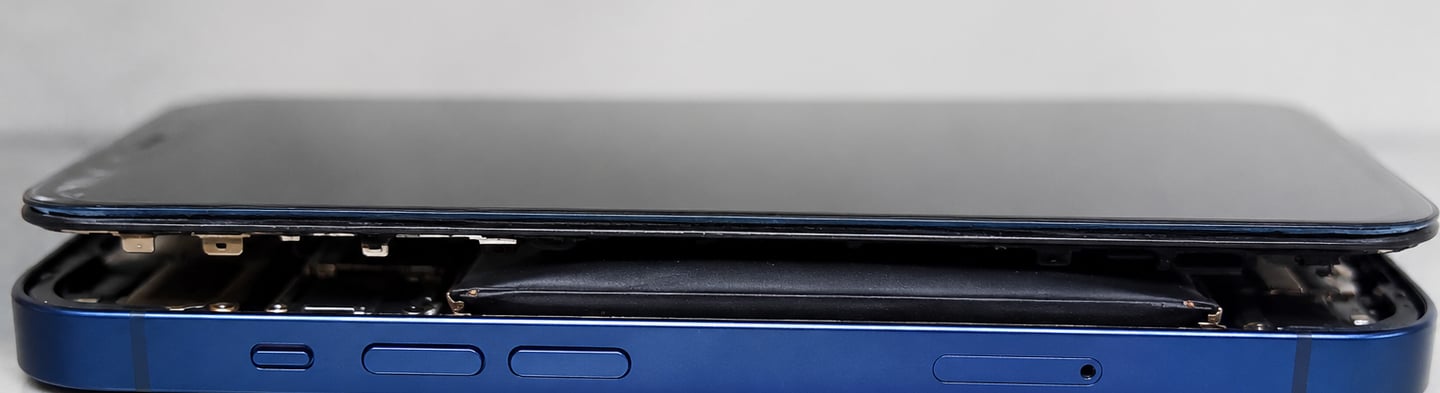
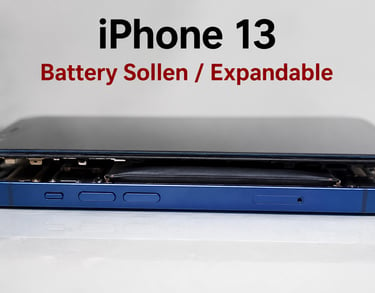
At iService Enterprises, Pune, we have recently observed an increase in the number of iPhone 13 devices arriving with swollen batteries. While lithium-ion batteries are designed to be safe and reliable, battery swelling can occur over time due to aging, heat exposure, charging habits, or internal battery degradation.
A swollen battery is not just a performance issue—it can become a serious safety risk if ignored.
What Is Battery Swelling?
Battery swelling occurs when gases build up inside the lithium-ion battery cell. As these gases accumulate, the battery expands and puts pressure on internal components such as the display, frame, and logic board.
In many cases, users first notice that the display begins lifting from the frame or that the phone feels unusually thick.
Common Signs of a Swollen iPhone Battery
If you notice any of the following symptoms, stop using the device and have it inspected immediately:
Display lifting or separating from the frame
Screen appearing raised on one side
Device becoming unusually warm during charging
Rapid battery drain
Random shutdowns
Phone body appearing bent or expanded
Difficulty pressing buttons due to internal pressure
Why Are Some iPhone 13 Batteries Swelling?
Several factors may contribute to battery swelling:
1. Battery Aging
Lithium-ion batteries naturally degrade over time. After hundreds of charge cycles, chemical changes inside the battery can generate gas.
2. Excessive Heat
High temperatures are one of the leading causes of battery damage. Leaving an iPhone in a hot vehicle or direct sunlight can accelerate battery deterioration.
3. Continuous Charging
Keeping the device connected to a charger for extended periods can increase battery stress, especially if heat builds up.
4. Low-Quality Chargers
Using uncertified charging accessories may expose the battery to unstable voltage and current.
5. Physical Damage
Drops or impacts can damage battery cells internally, even if no external damage is visible.
Safety Risks of a Swollen Battery
A swollen battery should never be ignored. Potential risks include:
Display damage
Logic board damage
Charging port issues
Device overheating
Battery leakage
Fire hazard in extreme cases
Although severe incidents are rare, a swollen battery should always be treated as a safety concern.
What NOT to Do
If your iPhone battery is swollen:
❌ Do not continue using the phone.
❌ Do not attempt to puncture the battery.
❌ Do not press the screen back into place.
❌ Do not charge the device overnight.
❌ Do not attempt a DIY battery replacement.
Lithium-ion batteries require proper handling and disposal procedures.
What You Should Do Immediately
Turn Off the Device
Power down the iPhone as soon as swelling is detected.
Stop Charging
Disconnect all charging accessories immediately.
Store Safely
Place the device in a cool, dry location away from flammable materials.
Seek Professional Inspection
Visit a qualified repair center for battery evaluation and replacement.
How to Prevent Battery Swelling
To maximize battery life and reduce the risk of swelling:
Use genuine or certified charging accessories
Avoid exposing the phone to excessive heat
Keep iOS updated
Enable Optimized Battery Charging
Avoid draining the battery to 0% frequently
Maintain battery charge between 20% and 80% when possible
Replace aging batteries before severe degradation occurs
Professional Battery Replacement in Pune
At iService Enterprises, we provide professional battery diagnostics and replacement services for iPhone models, including the iPhone 13 series.
Our technicians use advanced diagnostic tools to assess battery health and identify potential safety concerns before they lead to further device damage.
If you notice any signs of battery swelling, do not delay inspection. Early intervention can help protect your iPhone and ensure your safety.
Contact iService Enterprises
📍 Shop No. 20, Gera's Imperium Alpha, Grant Road, EON IT Park II, Kharadi, Pune – 411014
📞 +91 93251 63231